If you’ve ever lost a lead because a proposal slipped through the cracks or spent an evening pasting client details into a template, you know the small-but-repetitive tasks that eat into billable time. Most freelancer and solo-business advice points to popular marketing automations, but there’s a quieter, high-leverage area worth exploring: turning the handoff from “interested” to “working with you” into a single, semi-automatic flow. This article walks through a real-feasible n8n workflow for client onboarding and proposal follow-ups—what it does, what you’ll need, how to set it up from a non‑developer perspective, and the points where you should keep a human in the loop.
At a Glance: What This Automation Does (and the Exceptions Most People Miss)
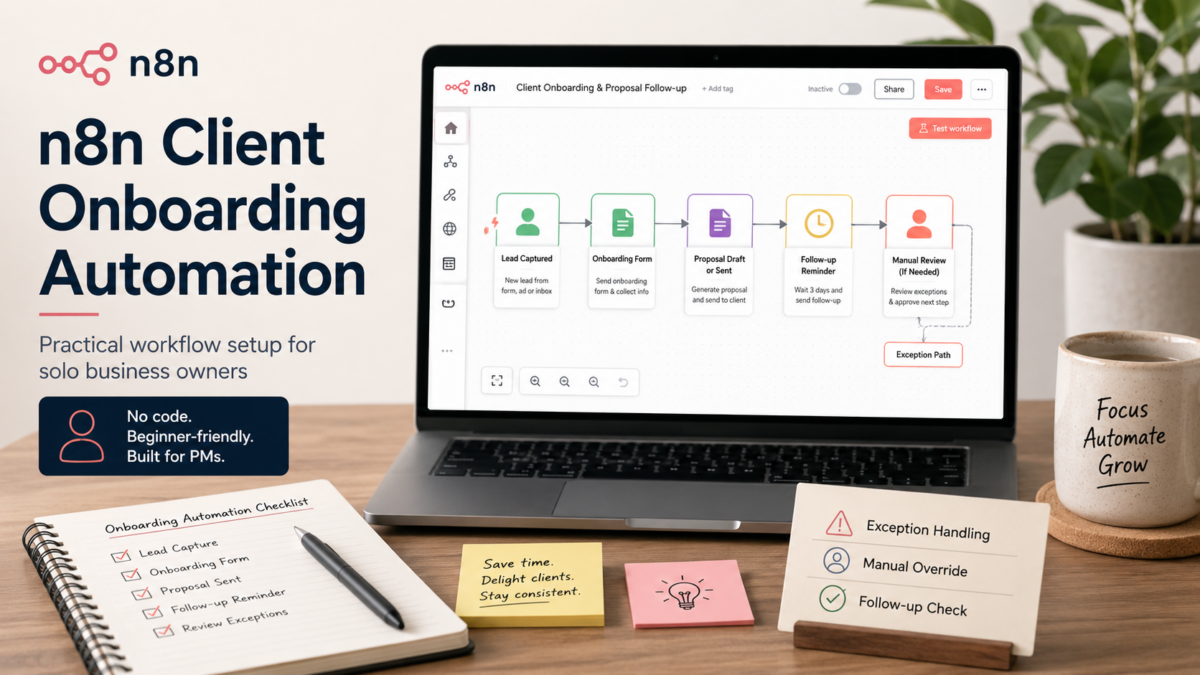
The core idea is straightforward: when a new client appears in your tracker (a Google Sheet or an Airtable), n8n creates a personalized proposal document, emails it, and then—crucially—follows up automatically if there’s no reply within a few days. Once the proposal is accepted, it triggers a small onboarding sequence: a welcome email, a shared folder link, and a task in your project tool. The hidden part that often trips up solo builders is exception handling. For example, what happens when a client emails back manually to say “got it” but doesn’t open the proposal link? Or when a follow-up email should pause over a holiday weekend? If I were preparing this alone, I’d spend extra time on pause conditions and simple status fields before trusting the automation with client-facing messages.
For a freelancer or solo consultant, this isn’t about replacing the relationship—it’s about removing the mechanical parts so you can focus on the conversation. According to n8n’s own case studies, businesses have used similar patterns to connect client portals with document management and email platforms, saving hours of manual handoffs. The underlying workflow architecture is well within reach of a non‑developer who has spent a few evenings testing nodes.
Why This Matters Now for Solo Business Owners
The pressure to handle more clients without adding administrative overhead isn’t new, but the tools to pull it off without a technical team have quietly caught up. In the n8n community, conversations in mid-2026 show a clear shift: more solo operators and small teams are moving beyond simple email automations to production‑grade sub‑workflows that handle error states and conditional branching. That’s less about advanced coding and more about structuring a workflow in a way that won’t break when real-world edge cases hit.
From a non‑developer PM perspective, the signal is that waiting until “someday” to automate onboarding means leaving time and client confidence on the table. The mini case study shared by a small accounting firm using n8n to connect their client portal with their document system and email platform shows that a well‑designed flow can reliably save several hours a week—even when the setup was done entirely with no‑code nodes.
The Workflow in Action: Core Components and What You’ll Need
Before opening the n8n editor, it helps to map the structure as three stages: proposal delivery, follow-up logic, and post‑acceptance onboarding. This prevents the all‑too‑common mistake of building a linear chain that falls over when a client doesn’t reply on schedule. The workflow will need access to a few services, and the exact choices depend on your existing stack. Below is a starting-point table for a solo consultant who uses Google Workspace and a task manager like Notion or Todoist.
| Component | Suggestion | Notes for non‑developer setup |
|---|---|---|
| Trigger | Google Sheets (new row) or Airtable ‘New Record’ webhook | Start with Google Sheets if you already track leads there; use the ‘Watch Rows’ trigger to poll for changes every 5 minutes on the free n8n cloud plan. |
| Proposal generation | Google Docs template + n8n Google Docs node | Create a template with {{ClientName}} placeholders; n8n replaces them using data from the trigger row. |
| Email delivery | Gmail node (or SMTP) | Authenticate once via OAuth; use Send Email node with dynamic recipient and subject from the sheet. |
| Follow-up rule | Wait node (delay) + IF node checking a status cell | Set a 72‑hour delay, then check if the sheet’s ‘Status’ column still says ‘Sent’. If yes, send a single gentle reminder email. |
| Onboarding trigger | Switch node watching ‘Status’ change to ‘Accepted’ | When you manually change the status (or after a webhook reply parser), n8n sends a welcome email, copies a shared folder, and creates a task in Notion or ClickUp. |
Step‑by‑Step: Setting Up a Client Onboarding Automation (with Zero Custom Code)
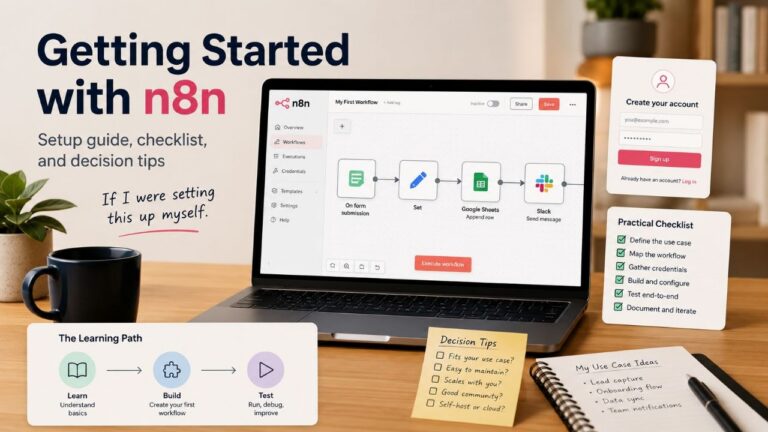
If I were setting this up myself on a weekend, I’d follow this exact order. The example assumes you have a n8n cloud account (free tier works) and a Google account. Each step includes the specific node and the failure check I’d look for when things don’t connect on the first try.
The flow below mirrors the structure used by the accounting firm case study adapted to a solo consultant’s proposal pipeline. I’ve kept it to four distinct stages because anything more complex risks turning into a debugging session that kills the momentum.
- Prepare the Google Sheet and template: Create a sheet with columns: ClientName, Email, Service, Status, ProposalLink. In Google Docs, write a short proposal template and insert placeholder text like <<ClientName>>. Share both the sheet and the template doc with the n8n service account email so the nodes can access them.
- Build the proposal generation node chain: In n8n, add a ‘Google Sheets – Watch Rows’ trigger pointing to your sheet. Set the polling interval to 5 minutes. Add a ‘Google Docs – Create Document from Template’ node, map the placeholders to the columns, and store the returned document URL back into the sheet’s ProposalLink column using an ‘Update Row’ node. Test with a manual row to see the entire sequence run once.
- Add the email and follow-up logic: After the row update, chain a ‘Gmail – Send Email’ node. For the follow-up, insert a ‘Wait’ node set to 72 hours, then a ‘Google Sheets – Get Row’ node to re‑read the Status. Connect an ‘IF’ node: if Status equals ‘Sent’, send a reminder email from a separate ‘Gmail’ node. If the status is anything else, end the branch. The first time I tried this, I forgot to handle the Sunday morning case—so I later added a condition to skip wait expiry if the date is a non‑work day.
- Wire the post‑acceptance onboarding: Use a separate trigger: a ‘Google Sheets – Watch Rows’ node that only fires when Status changes to ‘Accepted’. From there, add three parallel branches: one ‘Gmail – Send Email’ with a welcome message and a link to a shared Google Drive folder; one ‘Google Drive – Share Folder’ node (if you have the node installed) to automatically add the client’s email; and one ‘Notion – Create Page’ node (or HTTP Request to Todoist API) to create a task ‘Onboard new client: [ClientName]’. Because the onboarding should never fire twice, include a ‘Paid’ or ‘Onboarded’ flag column that you update after the first run.
|
💡 Manual oversight reminder |
When This Approach Makes Sense (and When It Doesn’t)
This workflow fits a solo business owner who sends at least two to three custom proposals a month and already uses a spreadsheet or simple CRM for tracking. The time payback often begins after a few proposals—enough to justify the initial setup and testing. For a freelancer with irregular, highly customized proposals that require deep per‑client research, the document template piece may feel too rigid; instead, you might keep the proposal step manual and only automate the follow-up and onboarding half.
The accounting firm example succeeded because their documents were fairly standardized and the manual handoff was a known pain point. If your client acquisition is still in the stage where every proposal needs a 30‑minute research call before writing, then full automation may become a bottleneck rather than a help. The decision criteria are simple: if you can define a trigger condition and a template that covers 80% of cases, start with the automation and handle the remaining outliers manually.
Checklist and Watchouts Before Going Live
Before letting the workflow touch real clients, I’d run through this list. It’s based on the common mistakes visible in community discussions—like the May 2026 thread about hiring n8n developers, where maintainability and error handling were the top concerns even for experienced builders.
- Permission audit: confirm the n8n service account can access only the specific sheet rows and doc files it needs, not your entire Drive.
- Dry run with test data: send a proposal to your own email and let the follow-up actually fire to see the timing with a weekend in between.
- Status column consistency: the automation relies on exact values like ‘Sent’ and ‘Accepted’; any typo or extra space will break the IF branches.
- Draft mode for the first 10 clients: use the Gmail ‘Create Draft’ node instead of ‘Send Email’ for follow-ups until you’re confident.
- Add a manual pause switch: a simple checkbox column (‘PauseAutomation’) that the Wait node reads before sending any reminder; if the column is TRUE, skip everything.
- Version your workflow: duplicate the workflow before making major changes, because n8n’s undo stack won’t always save you from a broken connection after a node rename.
Frequently Asked Questions
Do I need to self-host n8n to use this workflow securely with client data?
Not necessarily. The n8n cloud free tier can run polling-based triggers securely if you limit the data passed through and use OAuth. However, if you handle sensitive financial documents, a self-hosted instance gives you full control over where data sits. For a solo business owner, starting on cloud and later moving to self-hosted (using Docker on a $5–10/month VPS) is a common path.
What’s the real cost to run this? Will the free tier be enough?
n8n’s free cloud plan offers a limited number of active workflows and executions per month—the exact limits are available on n8n’s pricing page. For a freelancer managing a few proposals a week, this is usually sufficient, but you should confirm the current limits on the n8n pricing page.
Can I really set this up without a developer if I’ve never used n8n before?
Yes—the nodes used here (Google Sheets, Google Docs, Gmail, IF, Wait) are visual and don’t require code. The biggest challenge is debugging authentication errors, which n8n’s error messages now explain more clearly than they did two years ago. Budget a weekend afternoon to watch a few free n8n introduction videos and connect the first flow.
How do I handle clients who use different email threads or reply outside the automated chain?
That’s why the draft-based follow-up option is essential. No automation can reliably detect a human reply sent to a different email address or via a phone call. The status cell in the spreadsheet is your manual override: whenever you hear from the client, update it and let the workflow stop attempting further follow-ups.
Wrap-Up
The difference between dreaming about automation and actually using it often comes down to picking one tight, high‑impact flow and running it in a controlled way. For a solo business owner, the proposal‑to‑onboarding handoff is a strong candidate because it directly affects cash flow and client perception. If you’re still unsure where to start, spend 20 minutes listing the exact manual steps you took for your last three clients—then look for the two steps that felt most like copy‑paste. That’s the spot where a small n8n workflow can begin earning its keep, without turning into a maintenance monster.
Related Articles